Book your parking space in advance with UnipolMove
Find out where to park at over 800 selected car parks across Italy with UnipolMove
The right car park, wherever you need it: search, find and book the option that suits you best.


How does the book-ahead car park service work?
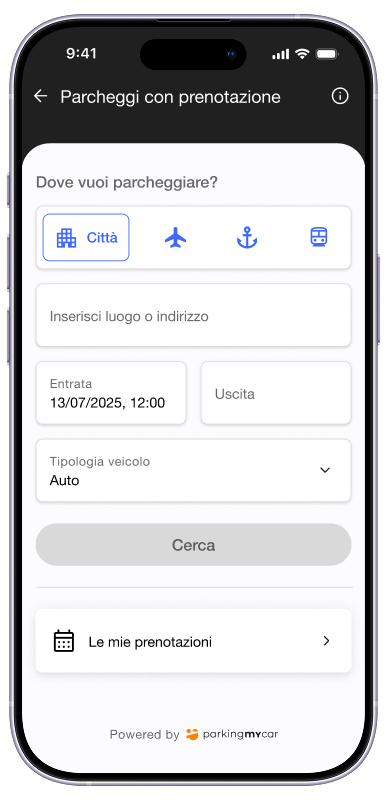
All the benefits of the service

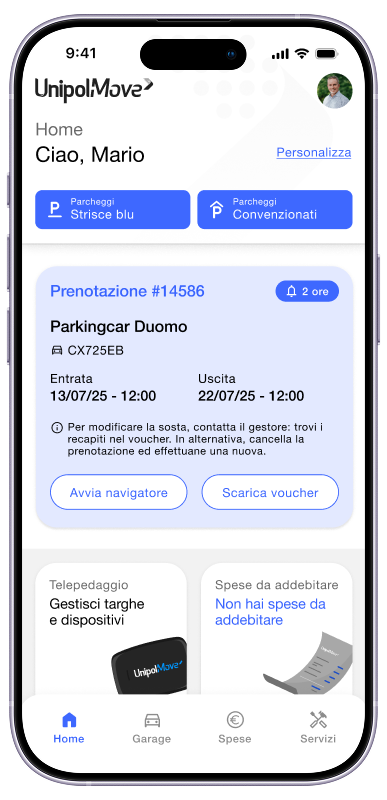
Everything’s under control
Manage your bookings via the app, whenever you like
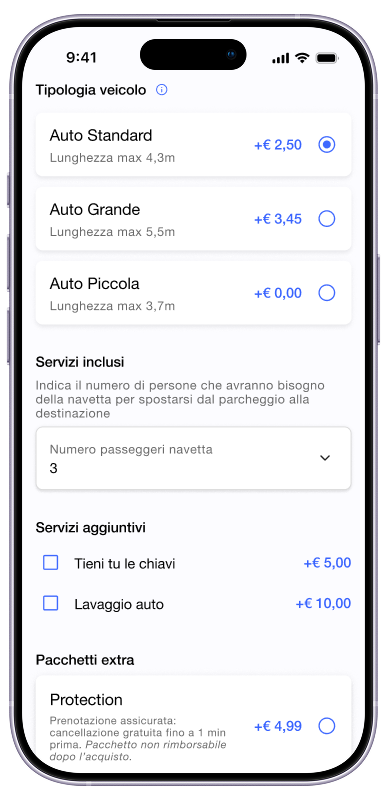
Tailored to you
Choose the services that make your stay perfect

Complete freedom
Cancel for free up to 24 hours in advance, no worries

No deposit required
Pay conveniently by adding the charge to your bill

Download the app and book your next parking space
What are you waiting for? Book your parking space in advance and set off safe in the knowledge that you’ll find a space.




Do you still have doubts?
Find out the questions most frequently asked by users.
To reserve a parking space through UnipolMove, you must use a number plate associated with your UnipolMove contract.
If you need to use a different vehicle, you must first register the new number plate in the car park and link it to an active contract.
Once you have made your booking, we recommend that you arrive at the car park with the same vehicle and number plate indicated in the booking, especially in automated facilities that use number plate recognition systems to grant access.
If you need to change vehicles after making your booking, you will need to cancel it and make a new one using the details of the new vehicle.
If, due to unforeseen circumstances, you arrive at the car park with a different number plate, we recommend that you contact the car park before arrival using the contact details provided on the voucher. If the car park is automated and you are unable to access it, use the intercom at the entrance to contact customer service.
You can change your reservation, add extra services or request assistance for parking spaces booked in advance by contacting customer service:
- by calling or sending a WhatsApp message to the numbers given in the booking confirmation email
- by writing to info@parkingmycar.it
- by replying to the confirmation email sent by booking@parkingmycar.it
If necessary, you can also cancel your existing booking and make a new one.
If you are unable to arrive at the booked car park, you can cancel your booking directly from your Reserved Area on the app or website.
To do so:
- tap the “Services” icon at the bottom right;
- select ‘Reserved parking spaces’ > ‘My bookings’ > ‘Active’;
- open ‘View booking details’ and select ‘Cancel booking’.
You can cancel your booking up to 24 hours before the entry time indicated on the voucher and receive a full refund, including booking fees.
If you want more flexibility, you can add the ‘Protection’* package when booking, which allows you to cancel your booking up to 1 minute before the time indicated on the voucher.
If you have purchased the Protection Package, at a price of €4.99, you will still be eligible for a refund for parking, but not for the cost of the Protection Package.
Please note: cancellations made after the maximum time allowed are not eligible for a refund.
Payment for the reservation is made using the payment method associated with your UnipolMove contract and charged to your first invoice after the date of parking.
If the car park also has an hourly or daily rate, you will not have to pay for it separately.
If you access the car park on the day indicated in the booking, even at a different time than expected, you will not be charged any additional costs.
During the booking period, the car park rate is not applied, thus avoiding double payments.